Get Downloader.
On your Fire TV, search the Amazon Appstore for Downloader by AFTVnews. Select Get or Download, then open it once.
MADE FOR THE BIG SCREEN
Meet Velora. Movies, TV shows and live browsing, with a layout that feels at home on your TV—and in your remote.
For compatible Android-based devices · Android 7.0+
Open Downloader. Enter this code.
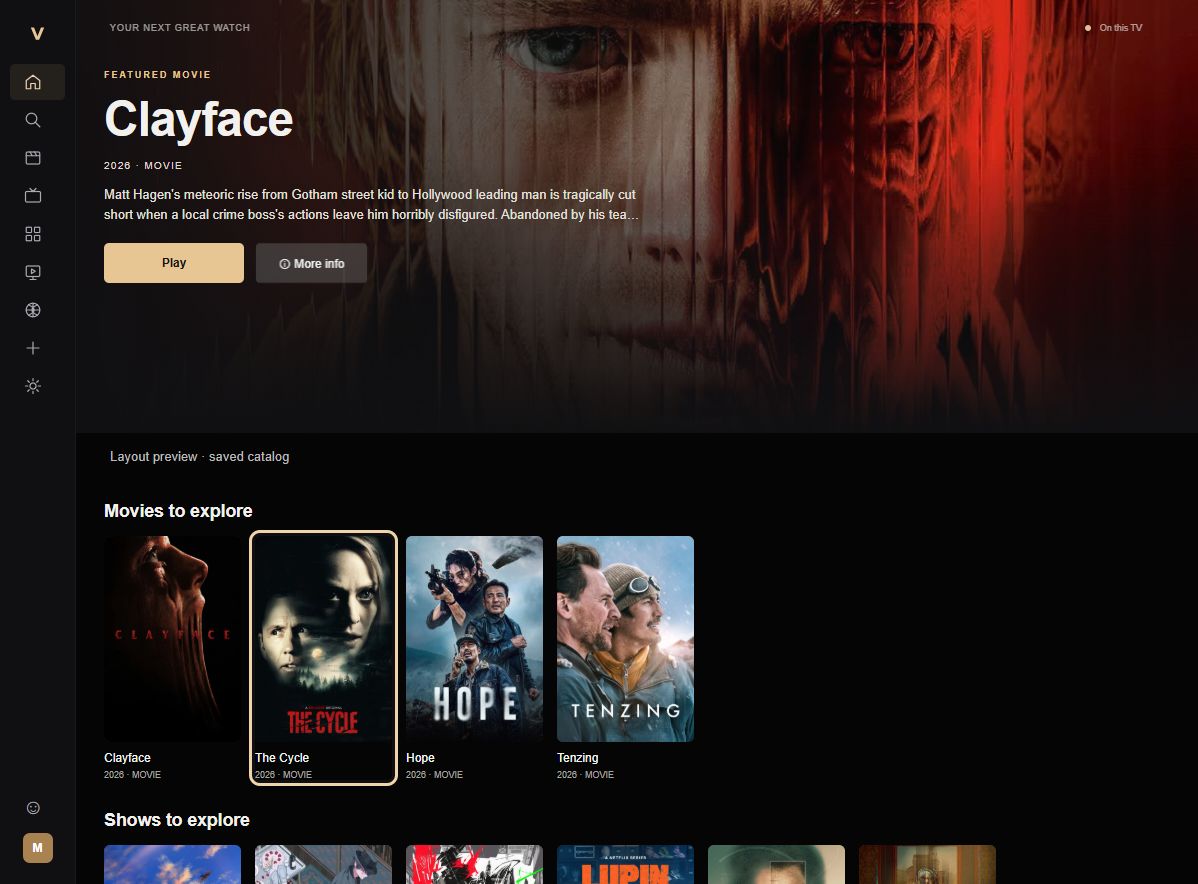
Browse trending and popular movies and series, with search that understands spaces and punctuation.
Local profiles, separate saved lists and Continue Watching help everyone pick up where they left off.
A focused TV layout with clear selection states, season and episode browsing, Live TV and Sports sections.
FROM HERE TO YOUR TV
Pick your device. Follow the steps.
No computer needed with Downloader.
On your Fire TV, search the Amazon Appstore for Downloader by AFTVnews. Select Get or Download, then open it once.
Go to Settings → My Fire TV → Developer Options → Install unknown apps. Turn on permission for Downloader.
Open My Fire TV → About. Highlight the device name and press Select seven times. Go back to Developer Options. Older devices may use the name “Apps from Unknown Sources.”
In Downloader, enter 6484220 and choose Go. Wait for the APK download, select Install, then Open after Android confirms installation.
Illustrations show the steps; exact menus vary by device. This APK requires Android-based Fire TV and does not install on Vega OS.
Install Downloader by AFTVnews from your device’s app store where available, or transfer the APK from GitHub to your TV.
When prompted, allow Downloader or your file manager to install unknown apps. This is usually under Settings → Apps → Special app access → Install unknown apps.
Enter 6484220 in Downloader, or open your transferred APK. Choose Install and wait for Android’s completion message.
If you already use Unlinked, choose Add a new library. Information about Unlinked is on its official website.
Enter library code VeloraFS, then open the library and select Velora.
Download the APK, allow installation from Unlinked if Android requests it, and complete the Install prompt.
The APK is also on GitHub. Choose the APK asset, not the source-code ZIP.
A FEW GOOD ANSWERS
Everything else you need to know
about installing and using Velora.
Compatible Android TV, Google TV and Android-based Fire TV devices running Android 7.0 or newer. Device performance varies. Samsung Tizen, LG webOS and Vega OS do not install this Android APK directly.
In Velora, open Settings → Check for updates. Download the update, choose Install now and approve Android’s installer. Keep your existing installation to retain local profiles and lists.
Velora’s profiles are stored locally on your TV. They do not sync between devices. Some builds may require an activation code; the expiration information is in Settings.
Velora shows a small banner marked Advertisement while browsing, for up to 20 seconds per cycle. A fresh cycle can appear after returning from playback or a trailer. Ads are hidden during playback and in Kids profiles.
Catalog listings and playback depend on third-party services and sources. Availability, language and quality vary; a listing does not guarantee a stream. Provider collections are Velora browsing pages, not the providers’ official apps.
Check that the app opening your APK has permission to install unknown apps. For an in-app update, select Check for updates again to reopen the downloaded installer prompt. Wait for installation to complete before opening Velora.
Use GitHub Issues. Include your TV model, Android/Fire OS version, Velora version and the steps that caused the issue. Keep passwords and activation codes private.
YOUR COUCH IS CALLING